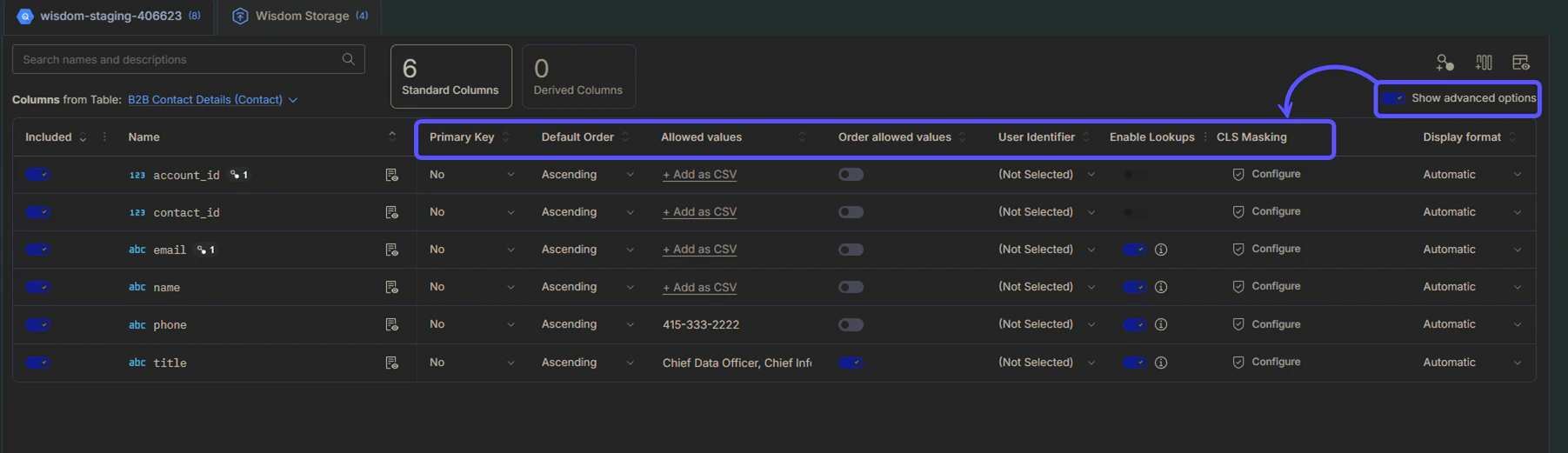
If you toggle the Show advanced options switch on, the following additional configuration fields will appear, allowing for more granular control over your data model:
FieldDescription
Primary KeyIdentifies if the column is a unique identifier for the rows in the table.
Default OrderSets the default sorting direction (Ascending or Descending) for the column.
Allowed valuesDefines a list of valid entries to guide WisdomAI’s understanding of the column’s content. These values are case-sensitive and are used for semantic context only.
Order allowed valuesEnables or disables a specific custom sorting order for the defined allowed values. This custom sequence overrides the Default Order setting.
User identifierMarks the column as containing user-specific identifying information such as email or username.
Enable LookupsToggles whether this column can be used for data lookup operations and Name-Entity Recognition (NER).

Understanding Lookups and NER

Enabling lookups on textual columns powers Name-Entity Recognition (NER). This helps Wisdom build more accurate SQL queries by mapping user intent to specific database values. The key benefits of enabling this feature are:
  • Token Matching: WisdomAI identifies the right column to query based on tokens in the question string. For example, “Show me total usage for compute services” will match service_category = compute, whereas “total usage for EC2 services” will match service_name = compute.
  • Typo Correction: Fixes minor typos in user questions. For example, “Show me total usage for computer services” will be auto-corrected to service_category = compute.
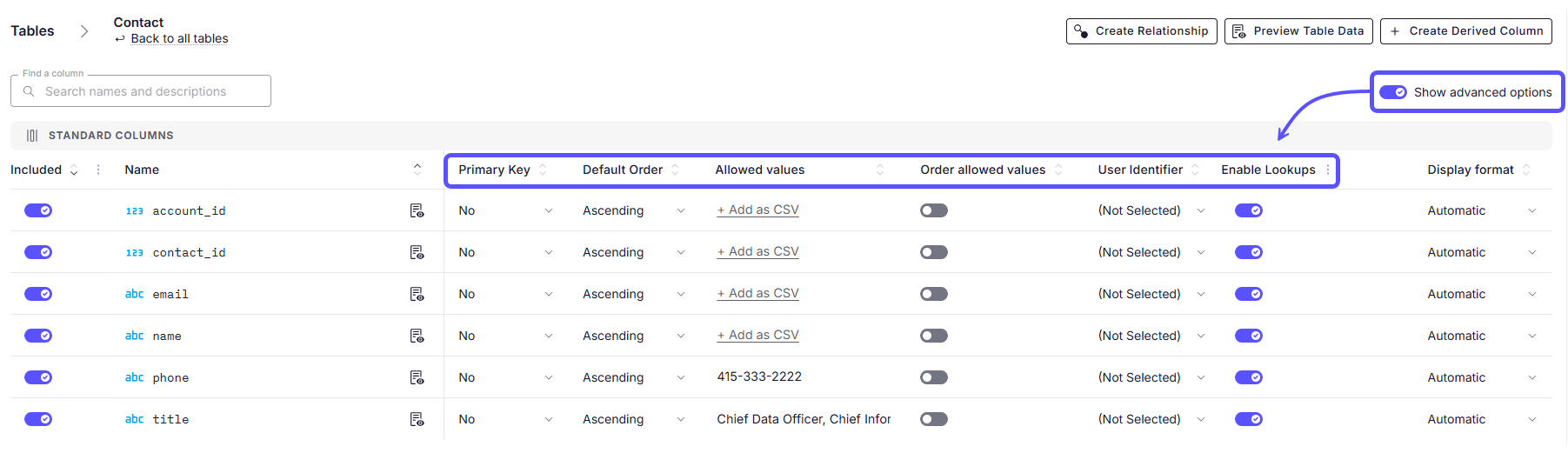
Enable lookups on VARCHAR type columns that contain categorical dimensions, such as region names, customer names, or category types.
A table view of database columns showing advanced configuration options, such as Primary Key and Allowed Values, enabled by the "Show advanced options" toggle.

Advanced Data Modeling

Define relationships and context in your data to enable more powerful analysis.

Provide Feedback to the System

Learn how to rate answers and provide corrections to improve the system’s accuracy.

Understand Domains

Manage and customize your data domains to refine context and improve query results.