

- Collaborate across teams.
- Ensure key stakeholders have access to relevant, real-time data.
- Control who can view and interact with each Dashboard.
Share a Dashboard and control access
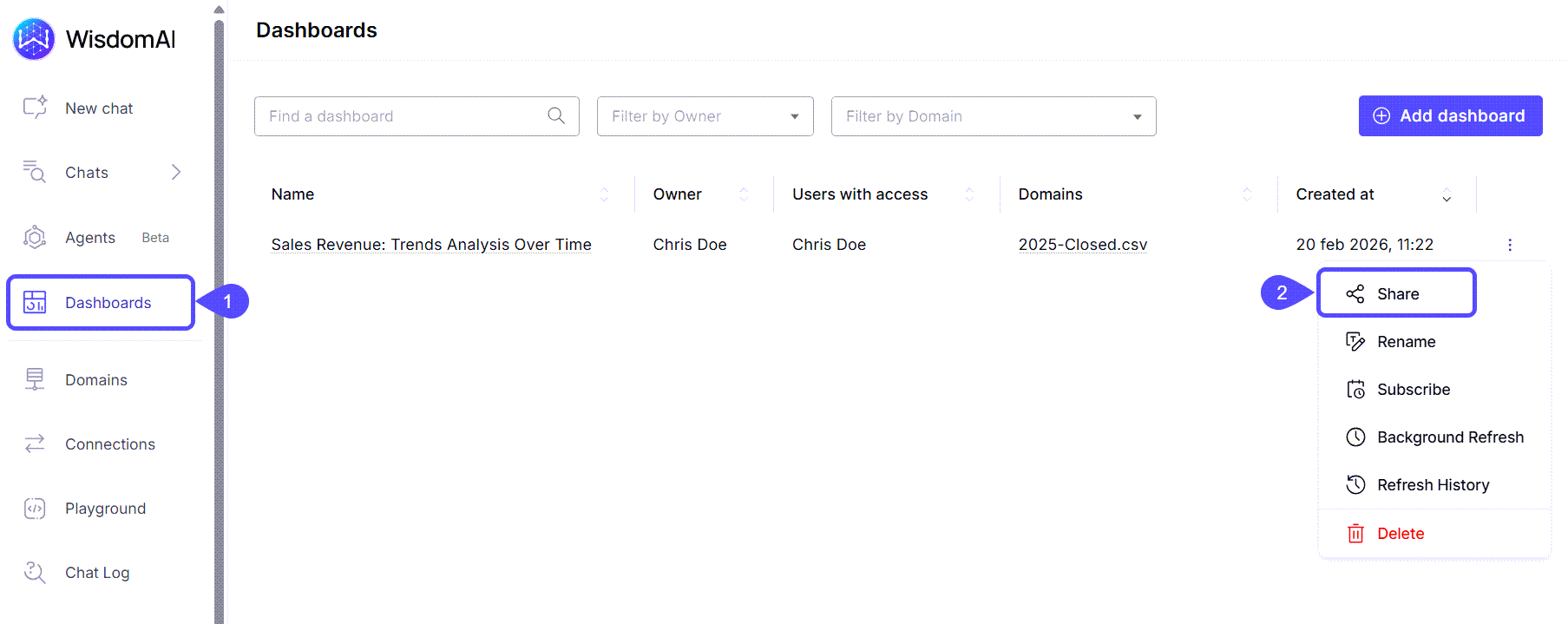
- Navigate to the Dashboards section in the left sidebar.
- Find the Dashboard you would like to share, click on the kebab menu icon, and select Share.
You can also share the Dashboard you are working on by clicking on the Share icon in the toolbar.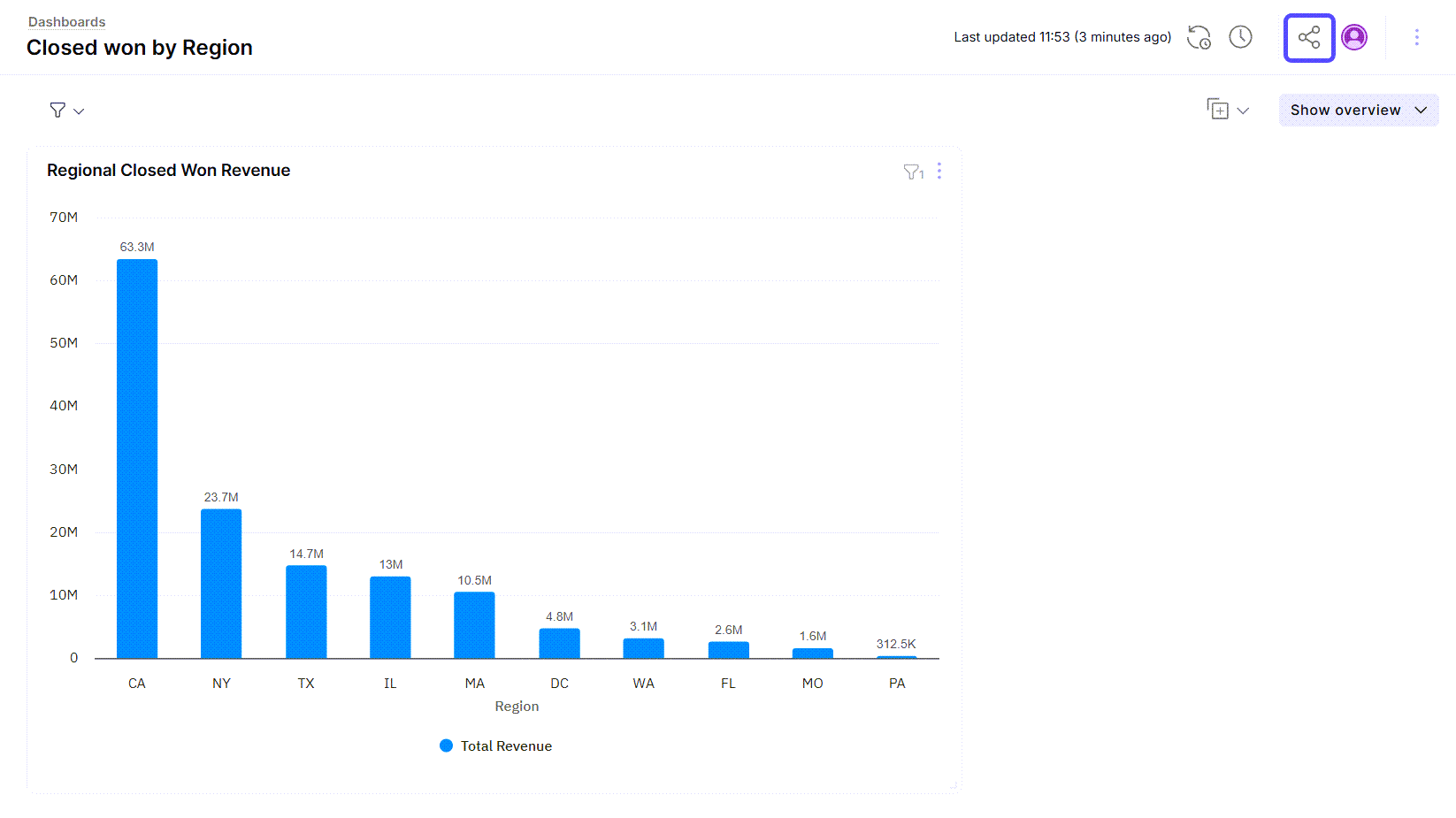
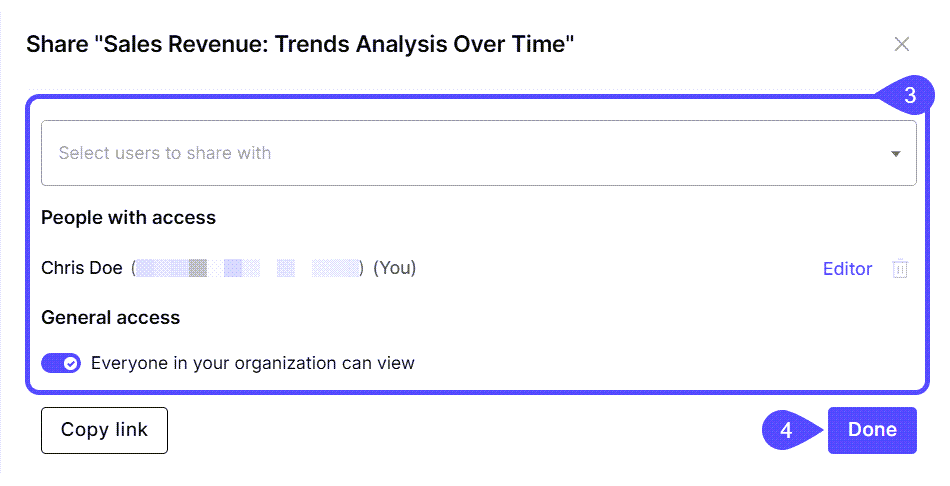
- In the modal window that opens, you can choose from the following options:
- Select users to share with. In this case, only those specific users will gain access to view the Dashboard.
- Set a General Access. In this case, you can enable any of the following options :
- Share your Dashboard with everyone in your organization so all members have access.
- Share the provided link with anyone who needs access to the Dashboard.
- Click Done to save your changes.
Next steps
Turn Answers into Dashboards
Transform key insights and visualizations into a clear, shareable dashboard.
Schedule Dashboard Notifications
Automate notifications to keep stakeholders informed with the latest dashboard updates.