

Connect an Amazon S3 dataset
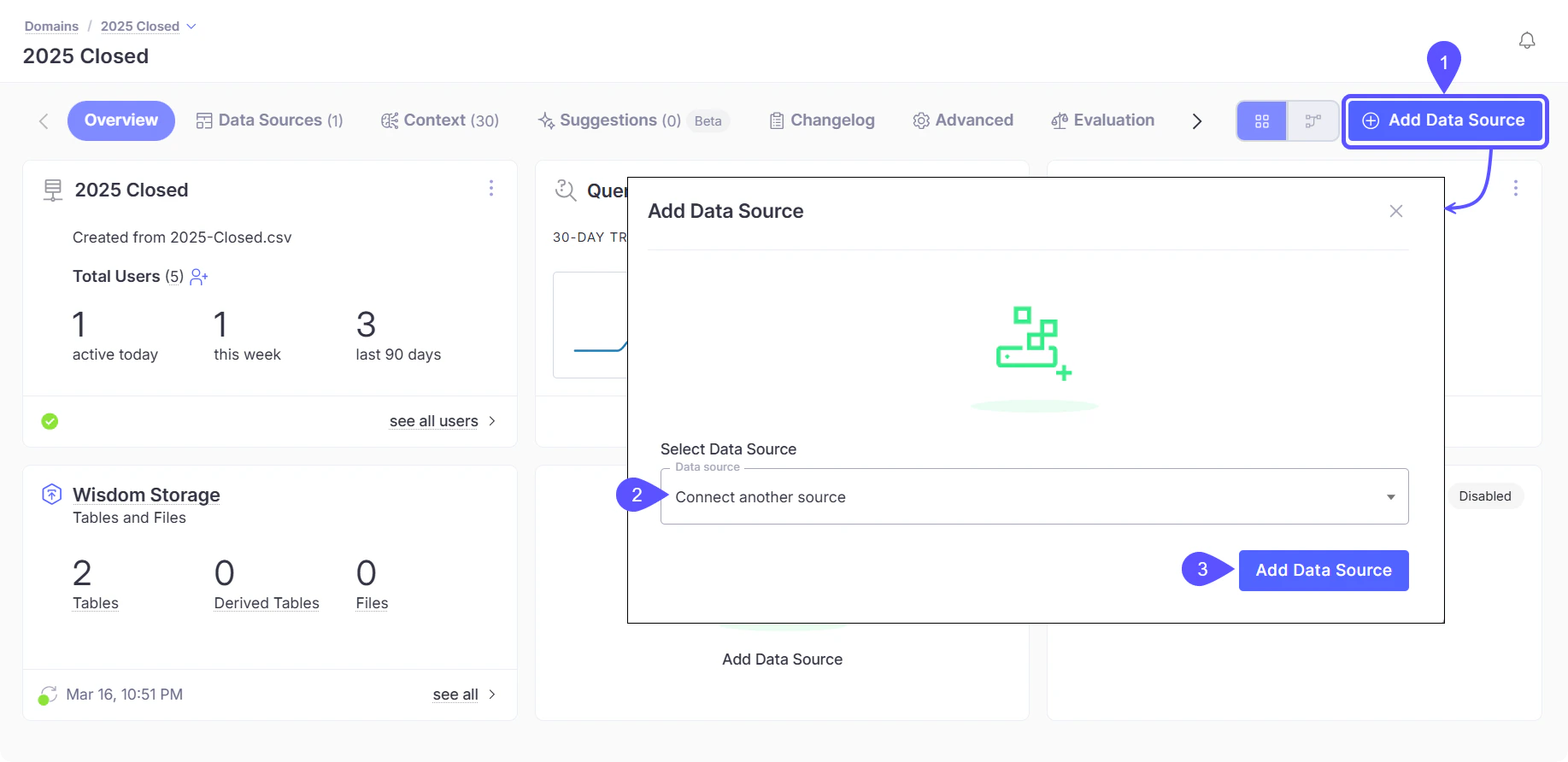
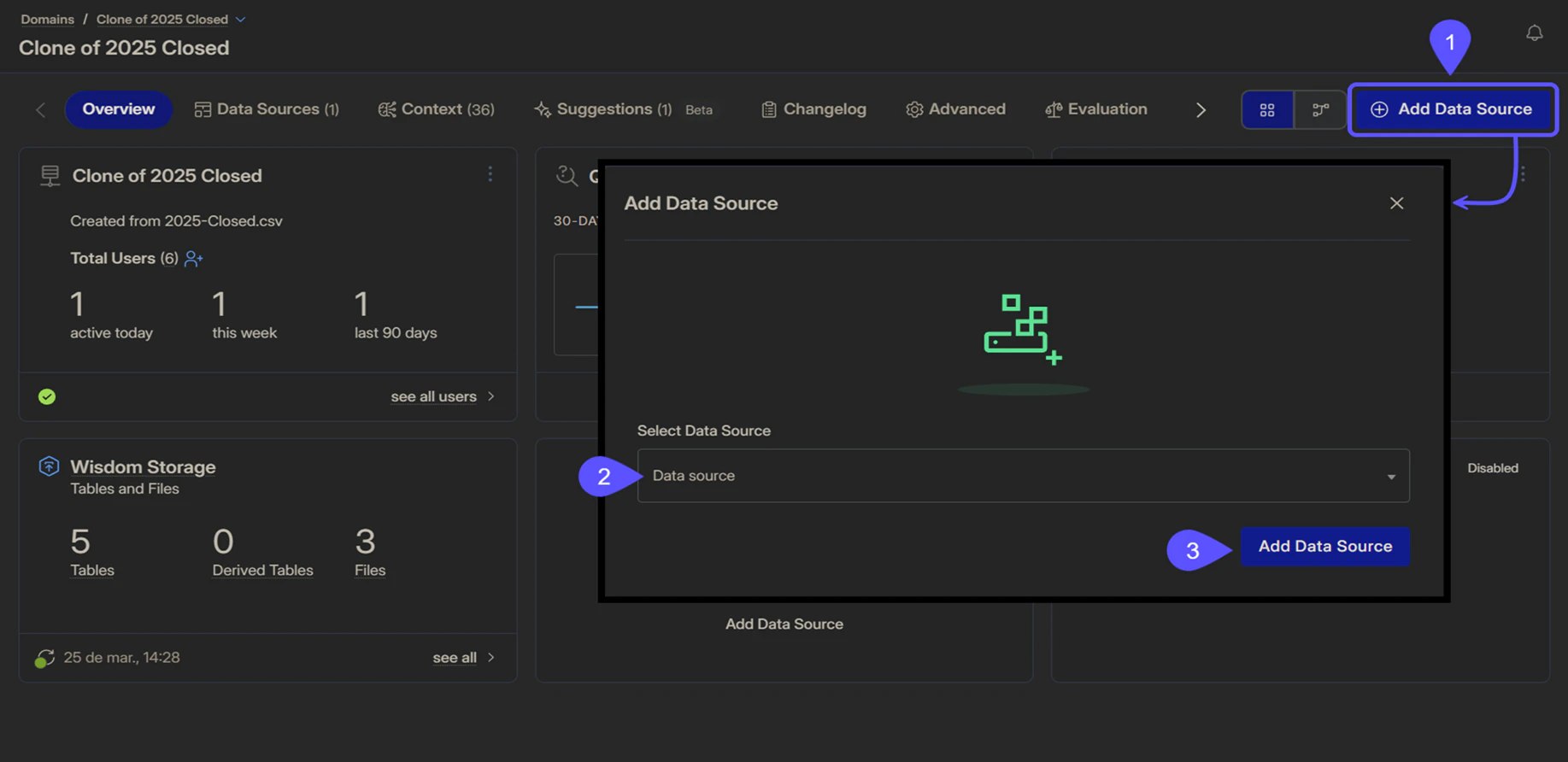
Follow the steps below to connect your Amazon S3 bucket as a data source.- Access your domain and, in the Overview tab, click Add Data Source.
- In the modal that opens, select Connect another source from the Data Source selector.
-
Click Add Data Source to continue.
-
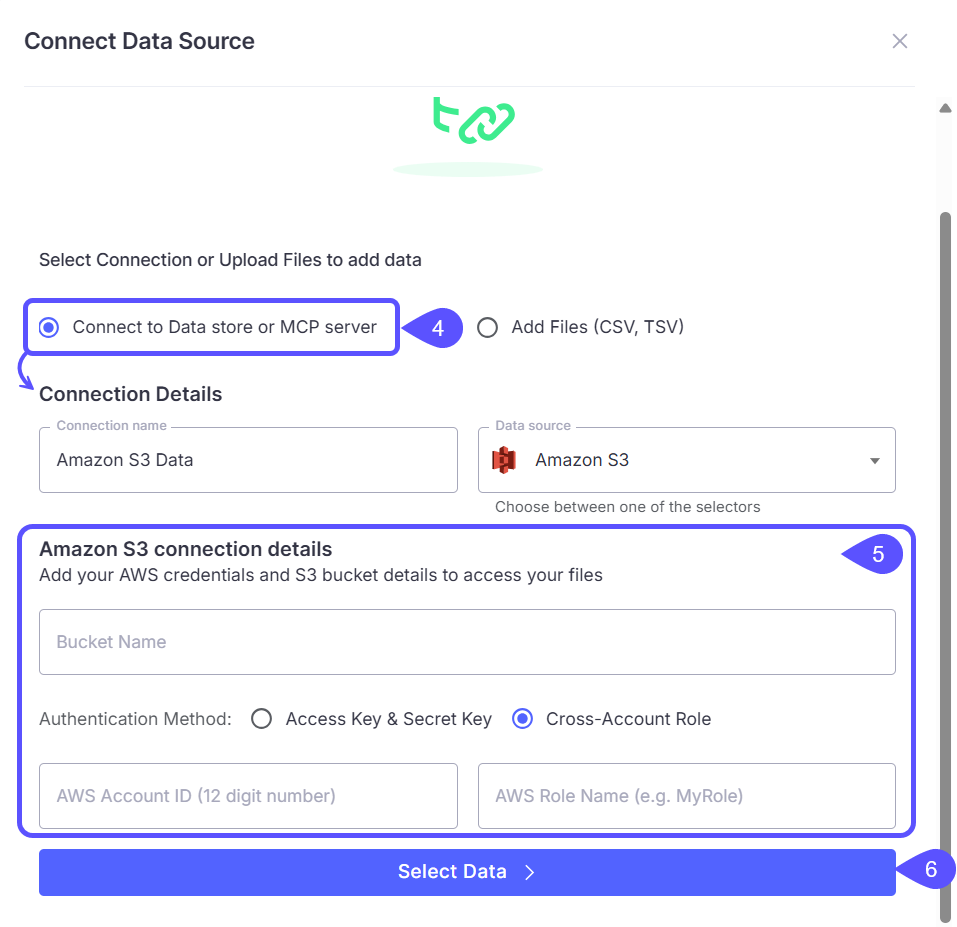
Select Connect to Data store or MCP server, then provide the following Connection Details:
- Connection name
- Data source: Select Amazon S3
-
Fill in the Amazon S3 connection details:
- Bucket Name: The bucket where your files are stored.
- Authentication Method: Choose one of the following:
- Access Key & Secret Key: Provide the Region, AWS Access Key ID, and AWS Secret Access Key.
- Cross-Account Role: Provide the AWS Account ID that has access to the bucket and the AWS Role Name.
-
Click Select Data to continue.
- In the data selection screen, browse the contents of the S3 bucket and select the files or paths you want to include.
- Confirm your selection to add the dataset as a data source.
Next steps
Manage Domains
Manage and customize your data domains to refine context and improve query results.
Auditing
Organize insights by tagging chats, navigating history, and sharing vetted answers with your team.
Quickstart: Connect and Test
Walk through the initial setup to connect a data source and run your first query.
Advanced Data Modeling
Define relationships and context in your data to enable more powerful analysis.